
Blur Philosophy 2 [Preview]
Further improving blur shaders with interpolation, downscaling and more
Hi there,
Last week, we talked about Blur Philosophy, an introduction on how to write better blur shaders, specifically talking about sample count, Gaussian distribution, pre-computed weights and multi-pass blurs:
Now, we’ll continue where we left off with some extra tips for improving quality and performance.
Using Interpolation
Texture interpolation is quite optimized. In my testing, it’s quite a bit faster than sampling 4 adjacent texels (texture pixels) without interpolation enabled, and interpolating between them manually. We can use this to our advantage! Instead of sampling every texel, we can sample halfway between them.

So to apply this, we first need to enable texture interpolation (In GameMaker we use can use gpu_set_texfilter(true) or texture_set_interpolation in GM:S 1).
We can do a 3x3 blur with just 4 texture samples and some interpolation:
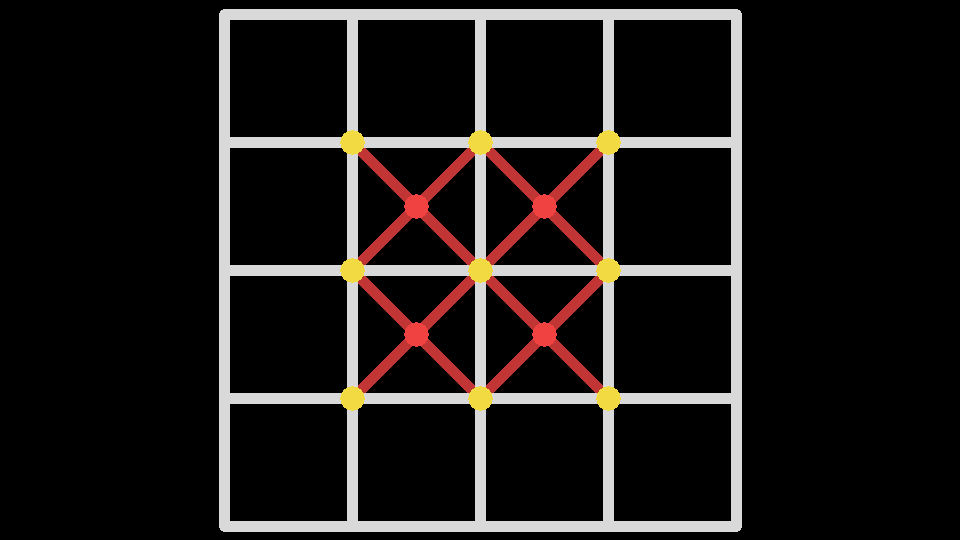
By sampling the 4 points in between the texels, we’re effectively sampling the average of all 9 of the yellow texels. Here’s a code example:
//Texture color sum and weight sum for computing the average color
vec4 tex_sum = vec4(0);

//Jump offset
const vec2 off = vec2(-0.5, 0.5);
//Four samples, covering 9 texels
tex_sum += 0.25 * texture(tex, uv + off.xx * texel);
tex_sum += 0.25 * texture(tex, uv + off.yx * texel);
tex_sum += 0.25 * texture(tex, uv + off.xy * texel);
tex_sum += 0.25 * texture(tex, uv + off.yy * texel);
You might notice that the central texel is covered by all 4 samples, the middles edges by 2 samples each and the outer corner by only one sample each. This gives the central texel 4x the weight of the outer samples. This actually somewhat matches what we’d expect with a Gaussian blur, and we get it for free.
Note: if you need each sample to have equal weight, I believe an offset values of ±sqrt(0.5) would do the trick. Tweaking the offset value, gives you control over the interpolation blending, which can give you some control over the texel weights.
Mobile devices (and Nintendo Switch) really with shaders that use a lot of texture samples, so this method, works well if you repeat it recursively. But if you need to blur a large area, 3x3 blurs would take many passes. We can do a little better.
This is the end of the tutorial draft for free subscribers. Paid subscribers get access to the full tutorial with extra details. There’s a brief summary and some extra resource links below
Jump Distance

Downscaling
Gamma
Edges
Conclusion
There are many different types of blur shaders out there, and it can be quite challenging to understand how to write your own. Hopefully, after the last tutorial and this one you’ll be well-equipped to take any type of blur shader you might need and make it more performant, higher-quality and richer with these tips.
To recap today’s tutorial, we learned that we can utilize texture interpolation to save on texture samples and cover a larger area. We can increase our blur sample offsets with blur pass and get our smooth, Gaussian blur results in fewer steps!
Downscaling has enormous benefits on low-end devices. When done carefully, it will have little to no discernible downgrades, while improving the performance.
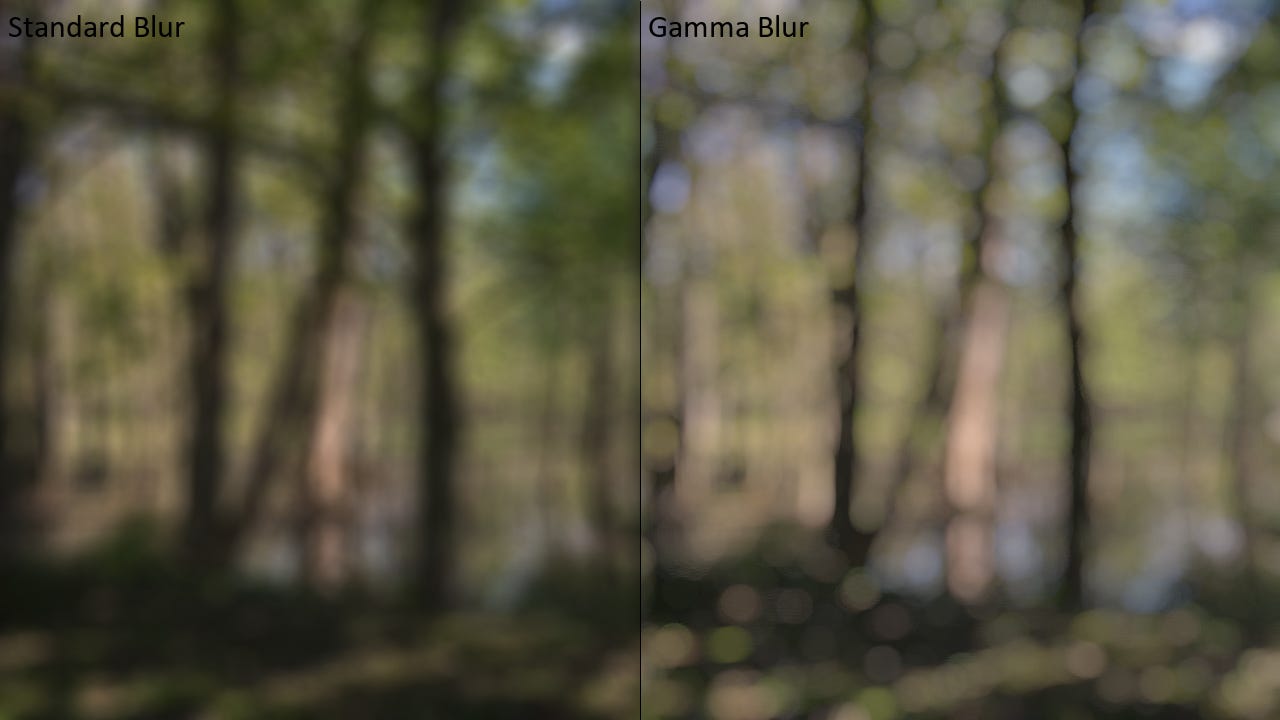
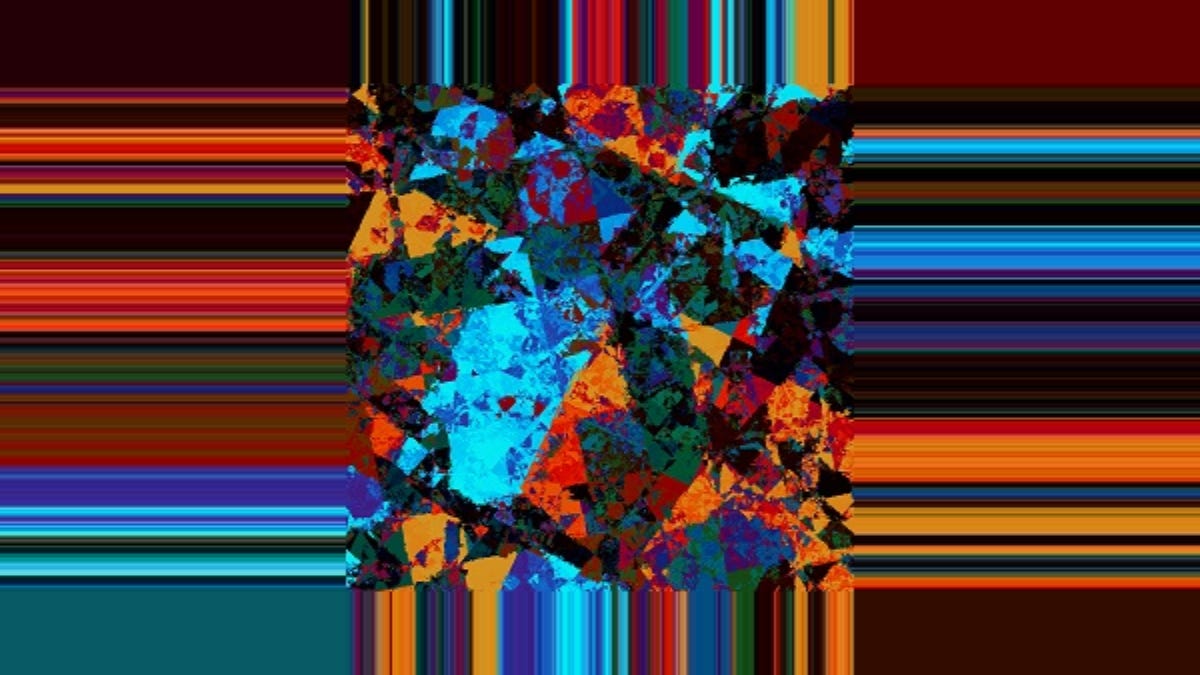
Gamma Correction is a super important topic that probably deserves a tutorial on its own, but now we know how much of a difference gamma correct blurring can make. We also covered a cheap approximation. And finally, we looked at the four main ways to handle texture edges with clamping, repeating, padding and skipping.
I designed these tutorials to be general enough that it could apply to a variety of blur shaders, but I also tried to keep concrete enough to show how it can actually be implemented. At GM Shaders, I try to teach how the skills of understanding and writing shaders, not to just copy and paste.
Extras
Smooth pixel art scaling:
This is a great video by t3ssel8r, on how to handle any pixel scale (including fraction scales). I can’t remember if I shared this, but even so, it’s worth a revisit!
Color quantization and dithering:
Check out this LUT-based color palette filter.
Retro-Filter by TandyRum1024
Interleaved Gradient Noise:
With dithering or Stochastic Transparency, the texture you use is support important. White noise can lead to clustering, Bayer matrices may be too artificial looking and Blue noise is difficult to compute. Alan Wolfe came up with a cheap and easy solution that looks even better in many cases: IGN